
ART products · Software
art::director
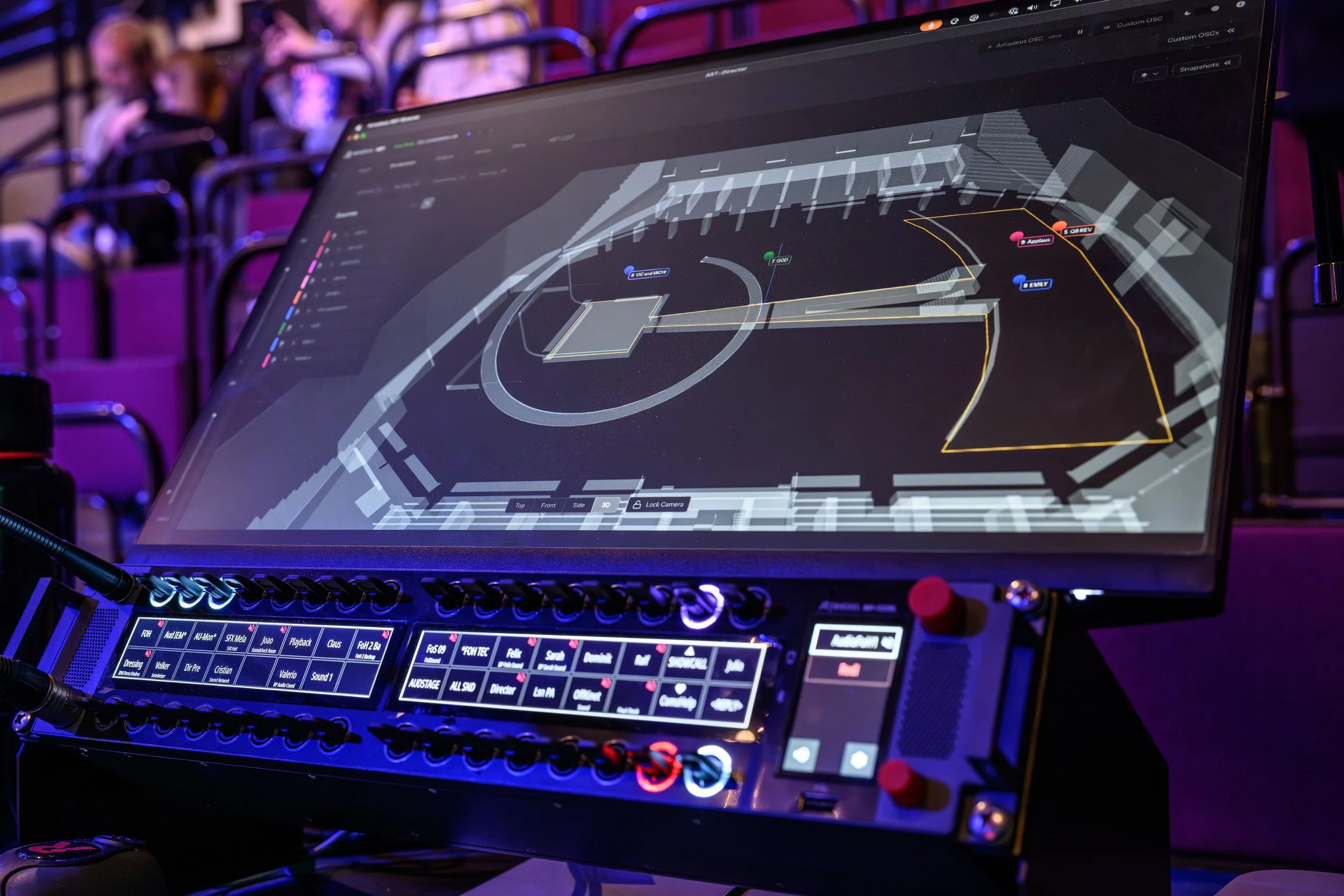
The 3D control application at the centre of the ART system. Position sources, manage zones and recall the room you need, in real time.
what it does
Art::director
The Interface
Command, not complexity
Every Amadeus system has a brain: ART::DSP, calculating thousands of channels in real time. ART::Director is how a human being commands it — taking the raw power of the DSP engine and turning it into something a venue's own team can actually operate. Not a black box guarded by specialists, but an instrument put directly into the hands of the people who run the room.
Why ART::Director
The Conductor's Podium — a control application built the way a conductor reads a score: at a glance, in real time, with total command over every section of the ensemble. This is why it is called ART::Director.
Built for the House — most professional control systems assume a specialist is always on hand to run them. ART::Director is designed for the opposite: the person who works in the building every day, running the system confidently after a single training session.
One Interface, Every Mode — whether the venue is running ART Acoustics, ART Immersive, or ART VoiceLift, the same application, the same logic, the same muscle memory applies. Learn it once.
Multiple modules. One point of command. ART::Director is where the invisible architecture of ART::DSP becomes something you can see, touch, and trust — the bridge between raw processing power and the in-house operator, deciding what the room sounds like next.
specifications
Central control application, common to ART Acoustics, ART Immersive, and ART VoiceLift
Real-time system configuration and scene recall
Zones, groups, and snapshots — build the presets your venue actually uses, then recall them in seconds from a tablet or a wall panel
External OSC control via standard API or custom mappings
Operable by your own staff — designed so a house technician can run it after one session, not a specialist flown in for every show
New linking, copy/paste, and routing workflow for massive multi-channel systems
Offline work mode for preparation and show design away from the venue
Online Live mode for real-time operation
Seamless switching between different shows and projects
Runs on macOS and Windows
Free download · Tutorials included